OneDesk for IT Services
OneDesk is the all-in-one platform for IT teams and MSPs to manage tickets, track projects, control assets, and automate billing. OneDesk eliminates tool sprawl so you can resolve incidents faster and scale your IT operations without the enterprise price tag.
Free 14-day trial · No credit card required

How does OneDesk help IT?
Unified Help Desk & Ticket Management
Never let a critical system outage or user request slip through the cracks again. OneDesk consolidates all incoming IT requests from email, chat, web forms, phone and more into a centralized dashboard. Your team can easily categorize, prioritize, and assign tickets based on custom SLAs to ensure rapid incident response. Communicate, collaborate, and resolve directly within the ticket, allowing techs to resolve complex issues faster.

Integrated IT Project Management
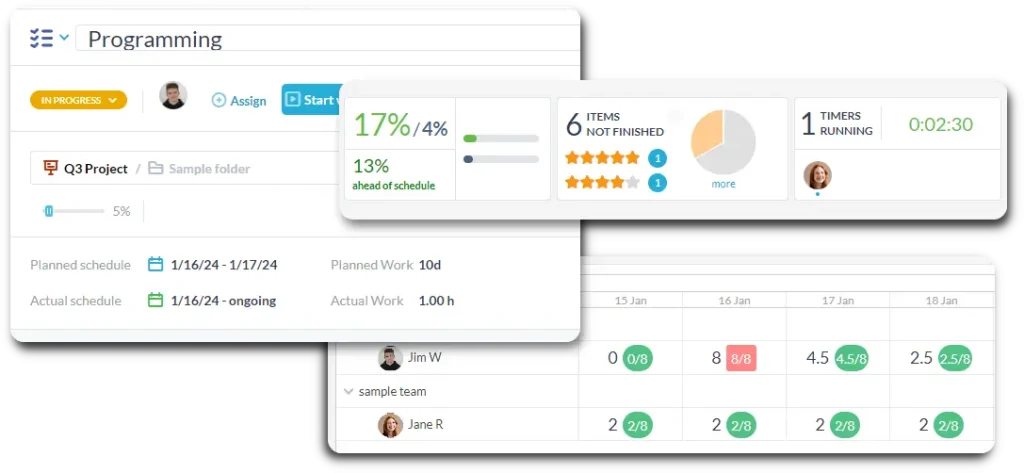
Transition from reactive firefighting to proactive IT deployment without switching applications. OneDesk seamlessly connects your daily help desk tickets to long-term IT projects like infrastructure upgrades, cloud migrations, or hardware rollouts. Plan your sprints using interactive Gantt charts, assign tasks to specialized resources, and track project milestones in real time. This ensures your internal IT initiatives or client onboarding projects stay strictly on schedule and within budget.
Real-Time Time Tracking & Timesheets
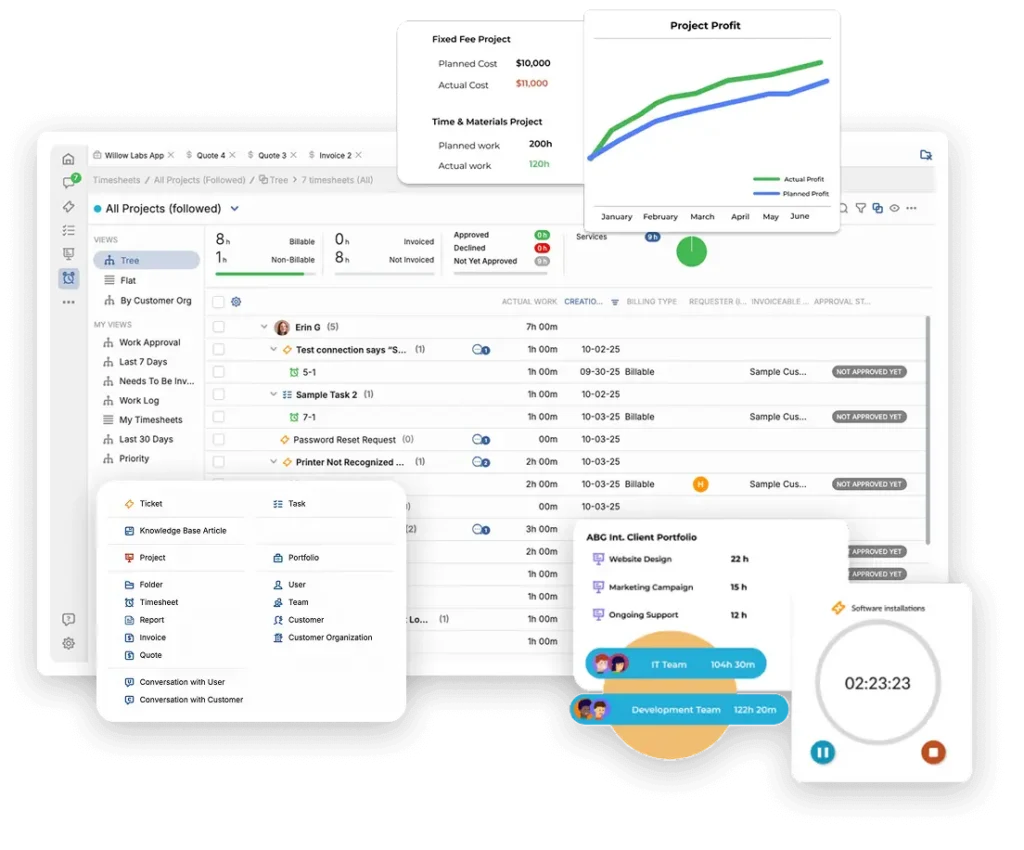
Accurately capture every single minute your engineers spend troubleshooting network glitches, patching servers, or writing documentation. OneDesk offers flexible time-tracking options, including live desktop or mobile timers and manual timesheet submissions. IT managers gain full visibility into resource utilization, allowing you to see exactly where your team’s bandwidth is going.
Asset & Configuration Management
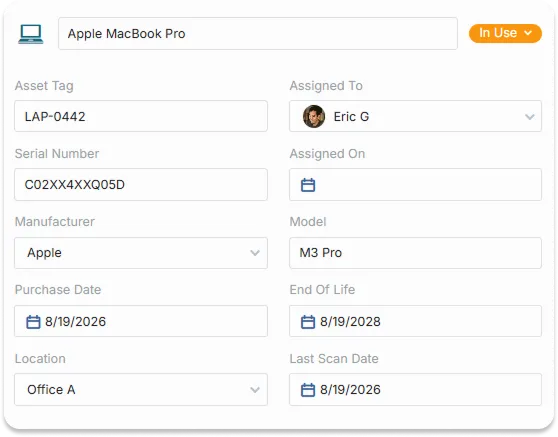
Replace messy spreadsheets with a dynamic asset lifecycle tracker. Track details for servers, workstations, network switches, software licenses, and cloud assets, and link them directly to relevant support tickets. This tight integration helps your service desk immediately identify recurring hardware failures, check warranty statuses, and view past maintenance history.
Automated Client Invoicing & Billing
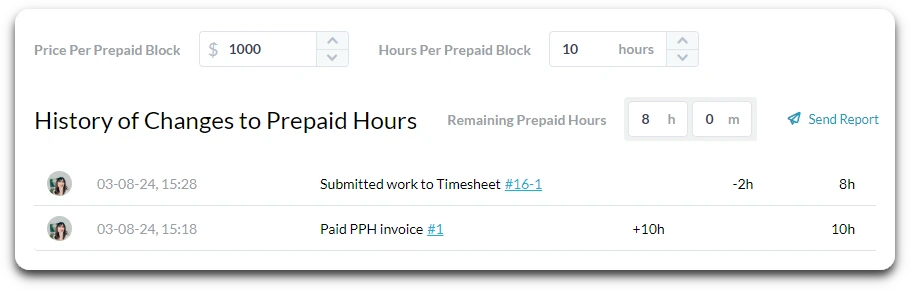
Simplify your monthly billing cycle and ensure cash flow remains steady. OneDesk lets MSPs convert tracked time, fixed-fee IT services, and expenses directly into client-ready invoices. Support varied billing models, including block-of-time contracts and monthly recurring retainers. By automating line-item generation from actual technical logs, you reduce billing disputes and save hours of administrative overhead every month.
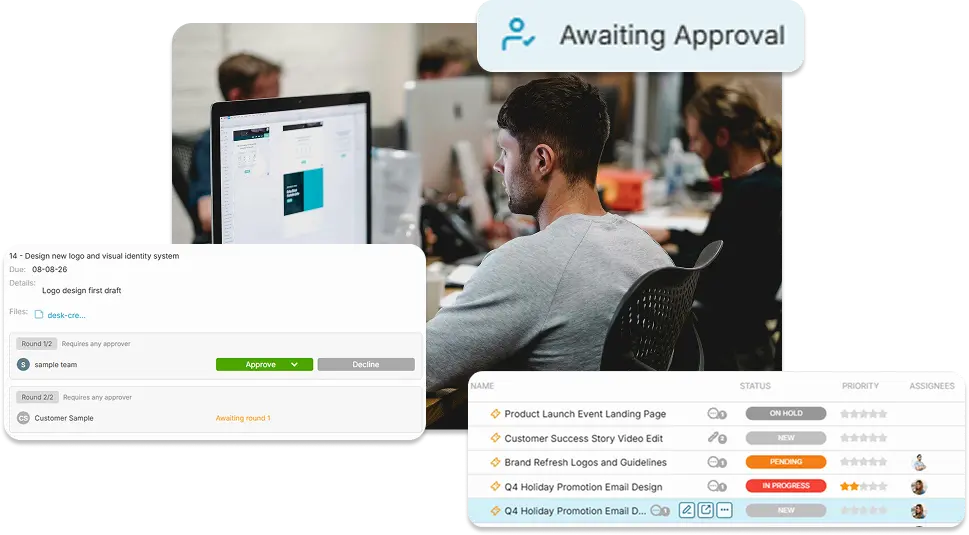
Streamlined Change Management & Approvals
Protect your infrastructure from unauthorized modifications and minimize downtime with built-in approval workflows. Create approvals that automatically send to senior engineers or client stakeholders. All comments and decisions are captured in the platform on the relevant task. This keeps your IT operations compliant, fully auditable, and aligned with industry best practices.
Multi-Tenant Customer Portals
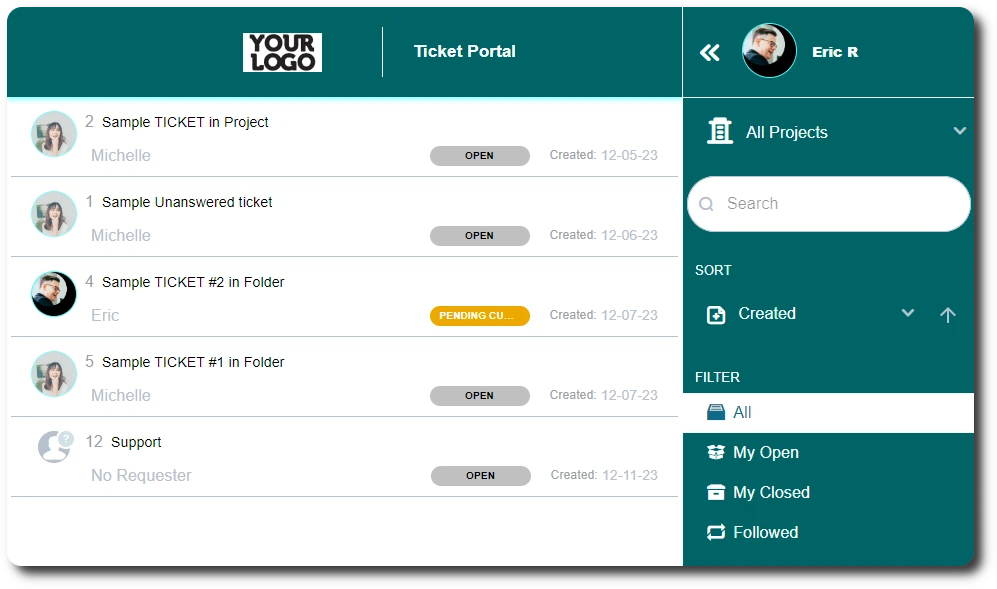
Provide your clients or internal departments with a secure and branded self-service experience. OneDesk’s customer portal allow users to submit new support tickets, check real-time resolution statuses, and browse an integrated knowledge base. Multi-tenancy ensures that clients or end-users only see the right data, assets, and communications. Empowering users to find answers to common issues themselves significantly reduces the volume of repetitive support tickets.
Powerful IT Process Automation
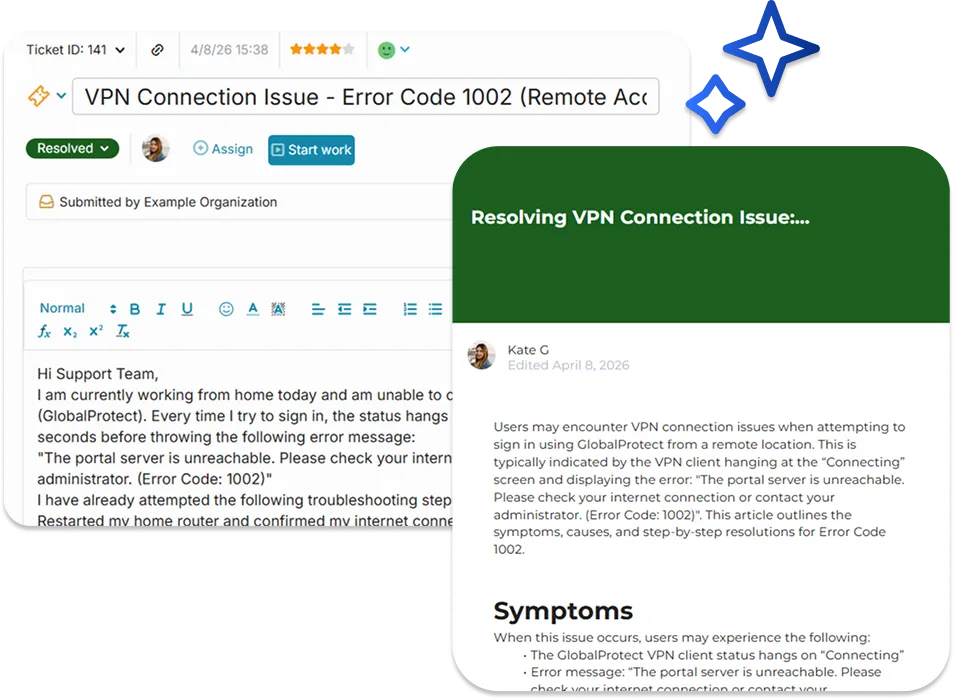
Eliminate manual, repetitive administrative tasks and let your IT experts focus on high-value work. OneDesk’s powerful automation engine allows you to build custom rules for routing tickets based on keywords, priority, or SLAs, and more. Use integrated AI-features to answer common questions before they arrive or create articles from resolved tickets. This level of automation gives small IT teams the operational efficiency of a massive enterprise.
Granular SLA & Performance Reporting
Prove the value of your IT team with comprehensive, data-driven analytics. OneDesk tracks critical IT metrics like first-response time, mean time to resolution (MTTR), customer satisfaction (CSAT) scores, and SLA compliance percentages. Generate automated reports that can be scheduled to hit your clients’ or executives’ inboxes every week or month. With these insights, you can easily identify performance bottlenecks, justify adding technical headcount, and demonstrate your ROI.

FAQ: OneDesk for IT
OneDesk is a flexible tool that is popular with both internal IT teams and MSPs. MSPs can use features like invoicing and billable time tracking to manage their client lifecycle. Meanwhile, internal teams can disable these features and instead use an internal knowledgebase and asset management to reduce tickets and manage their departments needs.
Unlike disconnected inventory spreadsheets, OneDesk integrates your IT asset lifecycle directly into your service desk. When an employee or client submits a ticket regarding a slow workstation or a failing network switch, your technicians can attach that specific asset to the ticket. This allows your team to instantly view the machine's service history, identify recurring hardware failures, check warranty statuses, and make informed decisions on whether to repair or replace the asset.
OneDesk has many features that are helpful for IT teams and MSPs. Your team can centralize request intake from multiple channels, manage deployments, and track assets.
Features include:
- Project templates
- Automations
- Custom request forms
- Email integration
- Project and task planning
- Time tracking
- and more
Learn how other IT service companies use OneDesk
An IT non-profit switches from Spiceworks to OneDesk
How a One Man IT Firm uses OneDesk to manage his client projects and requests
How an IT outsourcing company uses OneDesk to manage their work
How one manufacturer uses OneDesk to manage its IT helpdesk, development, and process-automation
How an IT Support Company uses OneDesk for their Help Desk
Using OneDesk for office IT departments
More IT industry solutions
Help Desk
Project Management
Project Management for IT Finance
Project Management for IT HR
Project Management for IT IT
Project Management for IT Legal
Project Management for IT Marketing
Project Management for IT Operations
Project Management for IT PMO
Project Management for IT Sales
Project Management for IT Support