OneDesk for Legal Services
OneDesk is an all-in-one solution for legal services to manage requests, deadlines, billing, and client relationships.

Organize client intake & communication
Grow your firm by providing multiple intake and request channels to your clients and prospects. Integrate your business email, provide live chat from your website, answer phone calls, and more – all centralized in one place.
Portal
Web Widget
Phone
Intake Form
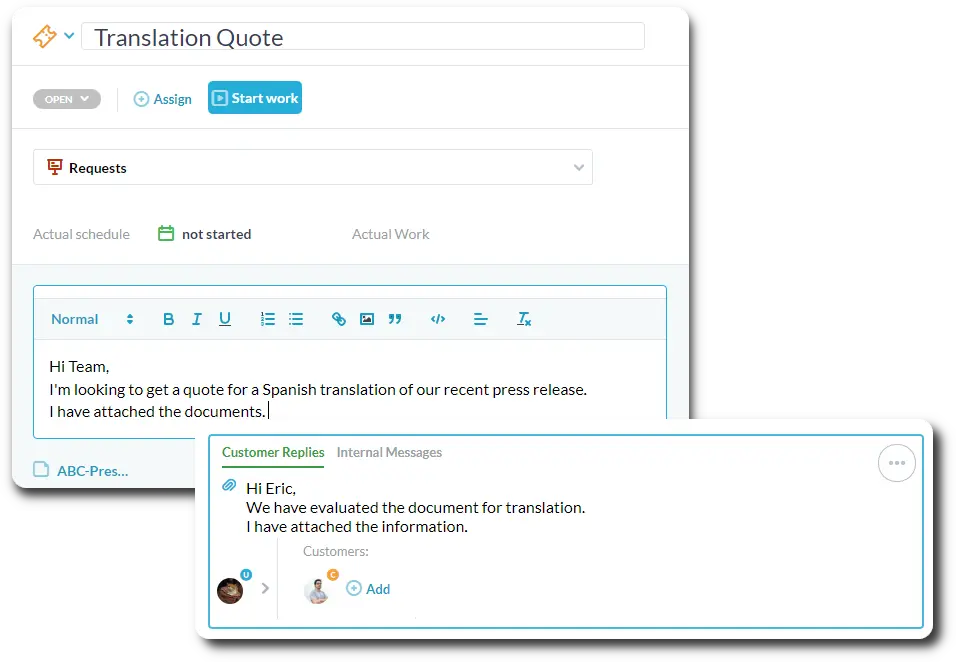
Centralize client communication
Integrate your firm’s email. Emails will be converted to tickets (requests) in OneDesk. The ticket captures all the required information and is linked to the client profile. Plus, receive communications from chat, portal, or integrations. Respond to clients directly in OneDesk. Easily add details or track the progress of tickets. Assign or collaborate on tickets with your team.
Organize case details
Organize all related tasks, tickets (requests), time entries, and other important details. Get a real-time overview of case information and progress.
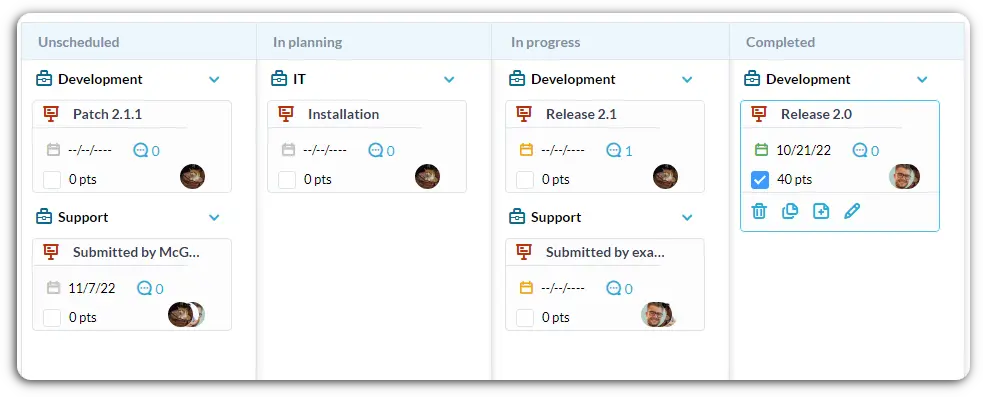
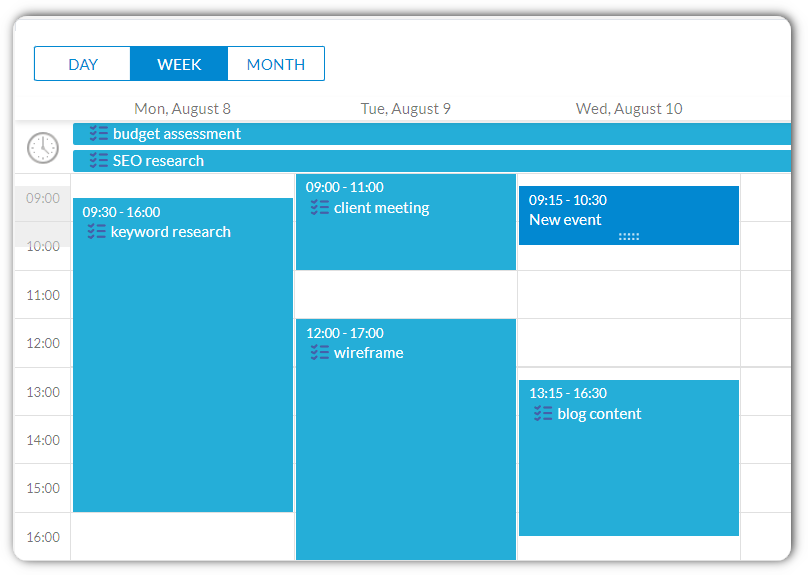
Complete task management
Get visibility on all tasks. Use the calendar, Gantt, kanban, list, or tree views to easily identify progress and what needs to be done next. Assign tasks to other users to create transparency and accountability. Breakdown work into subtasks and create dependencies between tasks.
Boost productivity with AI
Focus on high-value work by using advanced AI to save time.
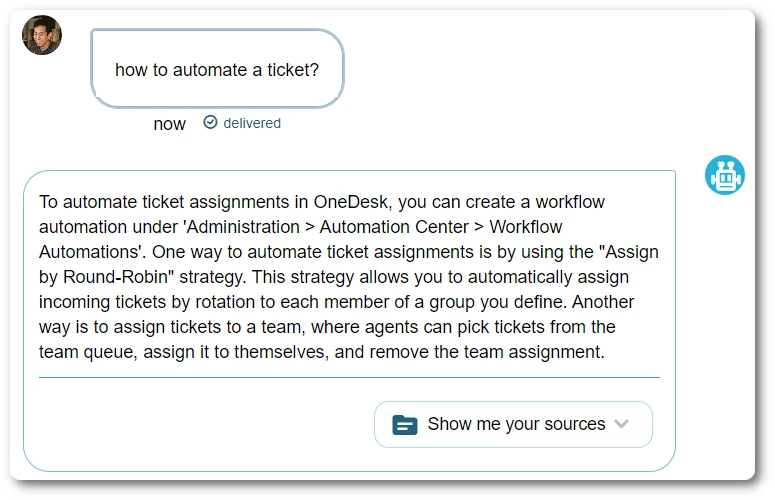
AI chat agent
Win clients and grow your firm. Allow clients and prospects to inquire about your services 24/7. The AI Agent learns from your content – website, knowledgebase articles, canned responses, and historic replies – so replies are accurate and focused.
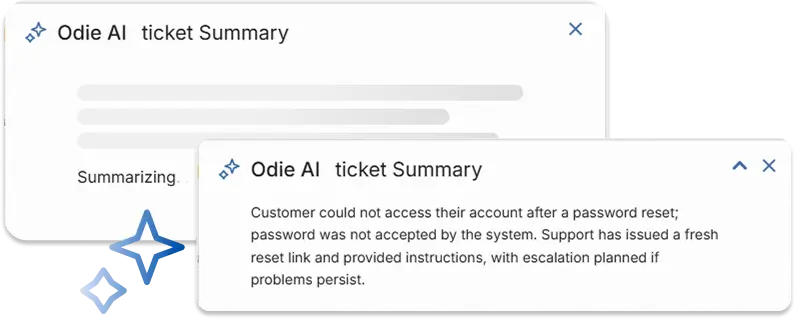
Summarize tickets and tasks
Generate knowledge base articles
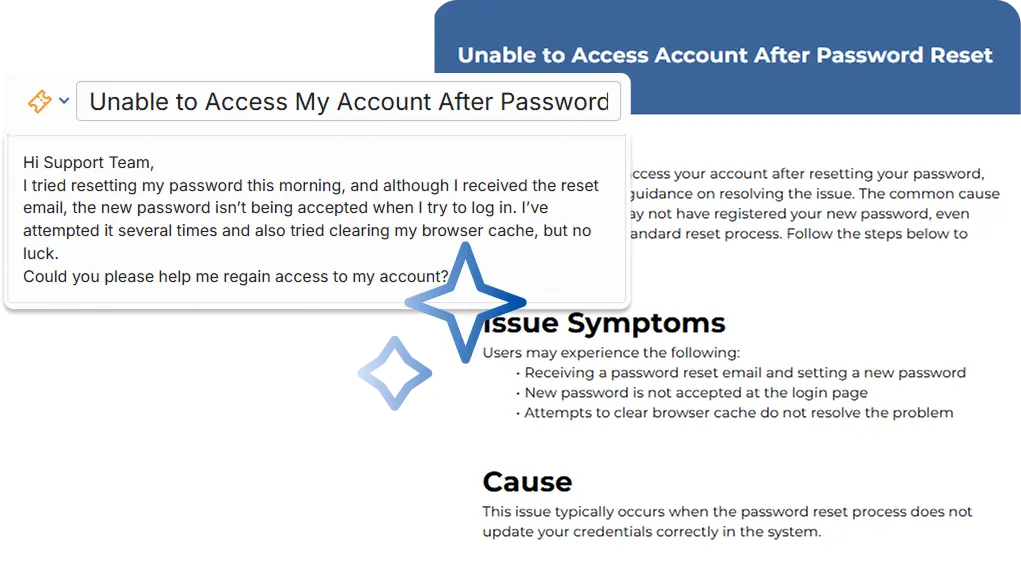
Build out your knowledge base easily and keep track of processes. AI converts tickets or project tasks into structured knowledge base articles. OneDesk AI removes personal information and extracts key information to create detailed articles.
AI suggested replies
Get suggestions on the best replies and articles based on the conversation context. Save time typing with AI-generated replies.

Record all your time
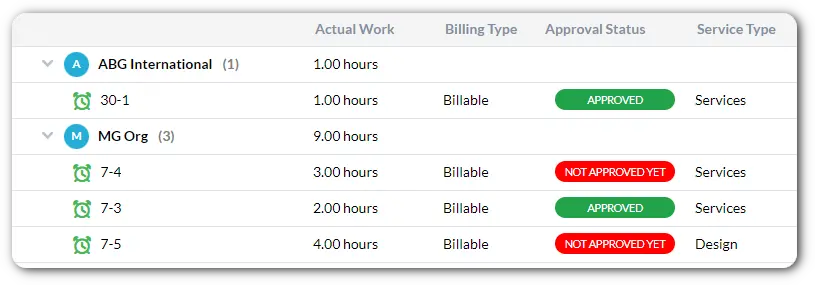
Log time on all tasks and requests. Record in real-time with a running timer. See what others are working on from the timer dashboard. Log time on one or multiple tasks with timesheets. Add notes, set billable status, or use custom fields or tags on time entries.
Effortless client billing
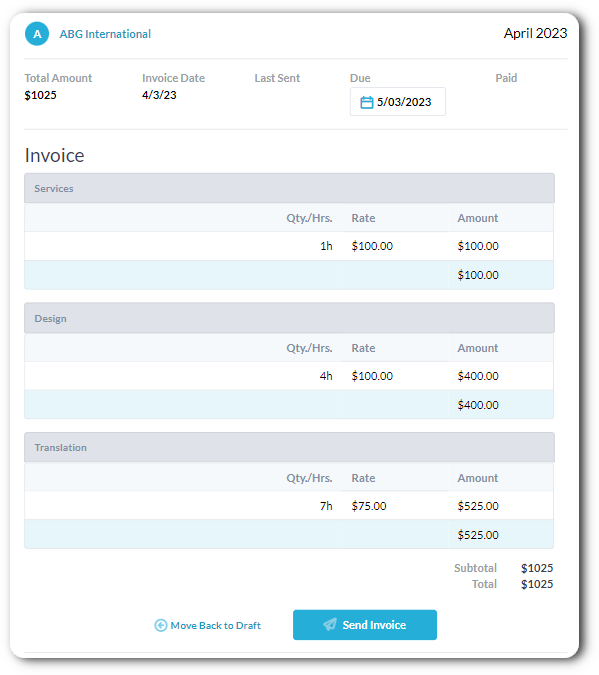
Create invoices from billable time with just a few clicks. You can choose hourly rates, a retainer structure, or mixed rates. Send invoices to clients directly from OneDesk. Or, use our QuickBooks Online integration to copy over or send invoices directly. OneDesk also supports billing for flat fee projects and prepaid hours.
Allow clients to work with you
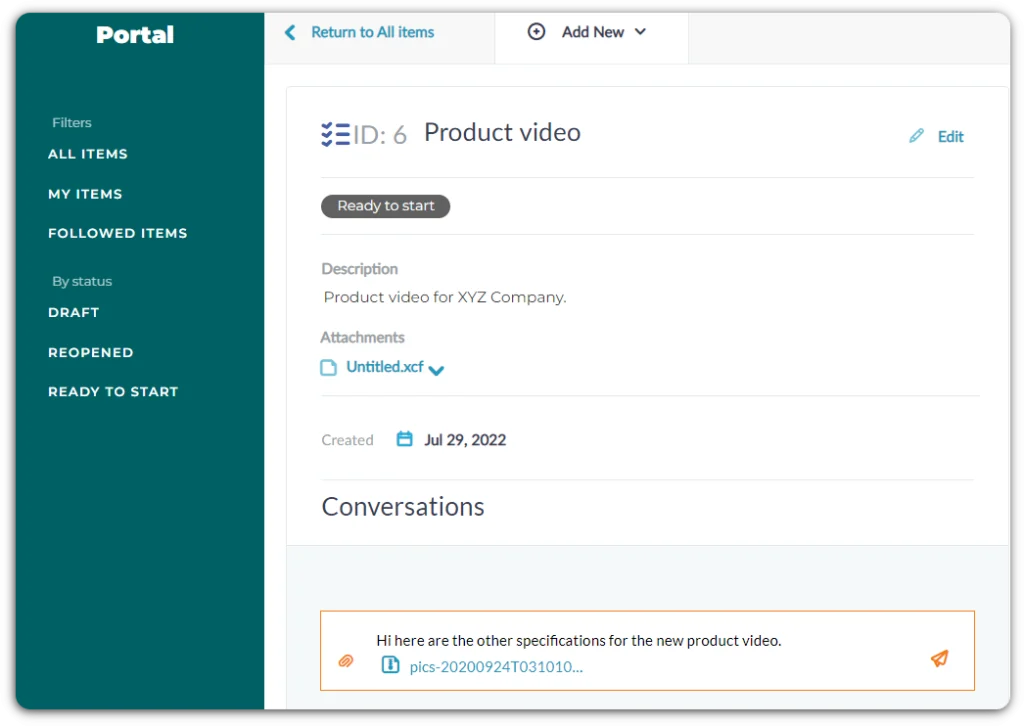
The OneDesk client portal is perfect for legal services to communicate and share information with clients. Clients can access task or ticket details, communications, and attached files on their own terms.
Automations for legal services
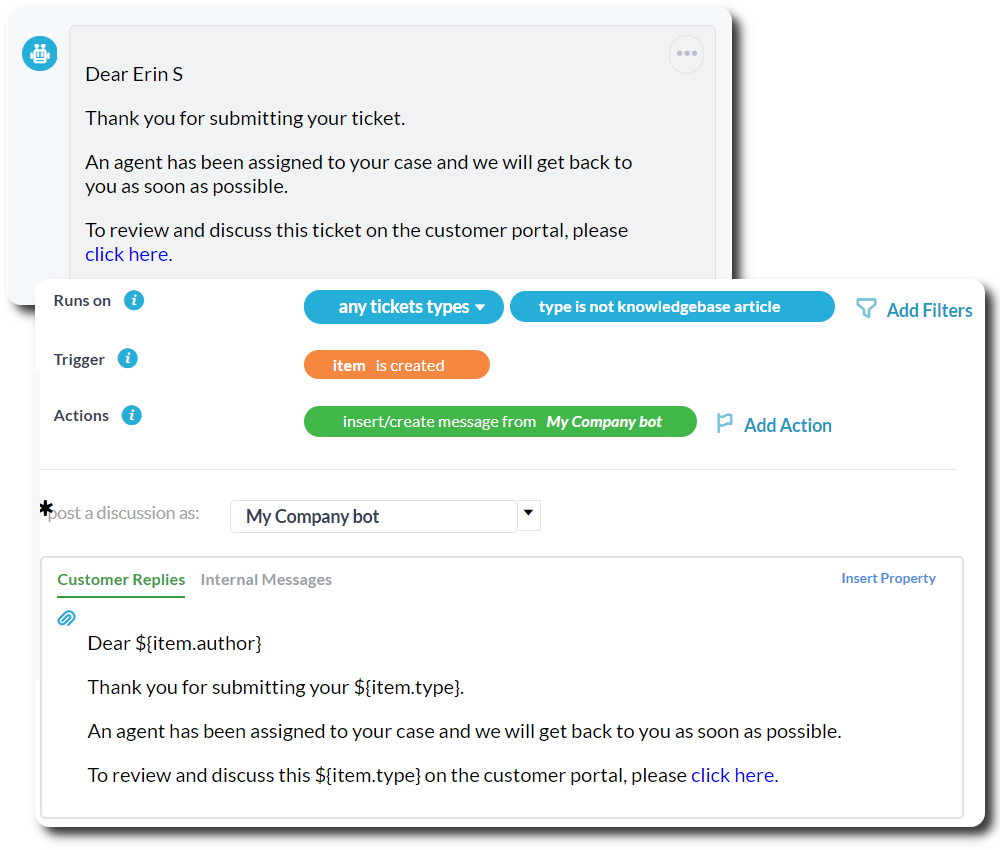
Automations are rules that perform actions for you based on set conditions. Automations allow you to streamline or customize your workflow and cut down on manual work. For example:
- Send email reminders or notifications to clients or colleagues.
- Update task or case statuses.
- Change timesheet billing or approval status.
- and much more!
Keep track of client details
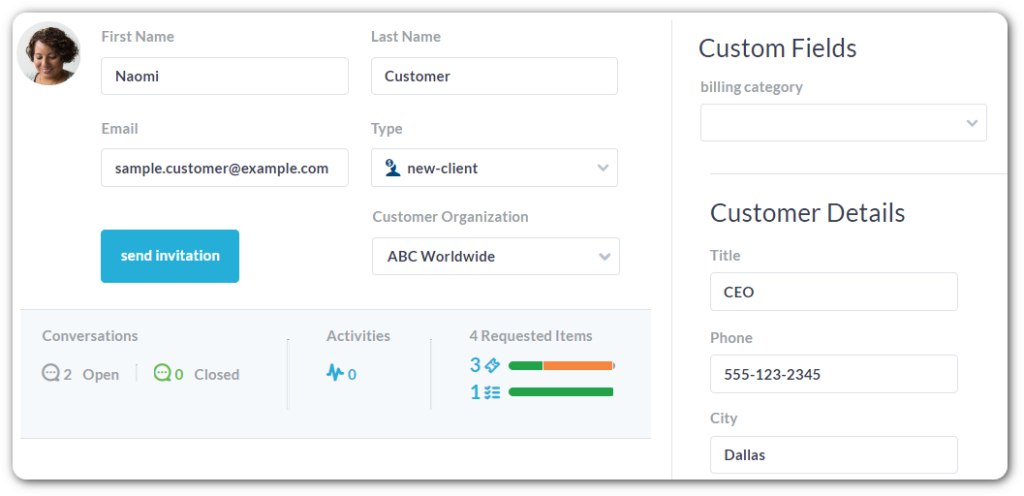
Use OneDesk to log your legal service interactions. OneDesk automatically keeps track of client interactions, including cases, requests, tasks, messages, and activities. Record every required detail using custom fields and client types.
Configurable to your legal service
Tailor OneDesk to meet the needs of your legal services.
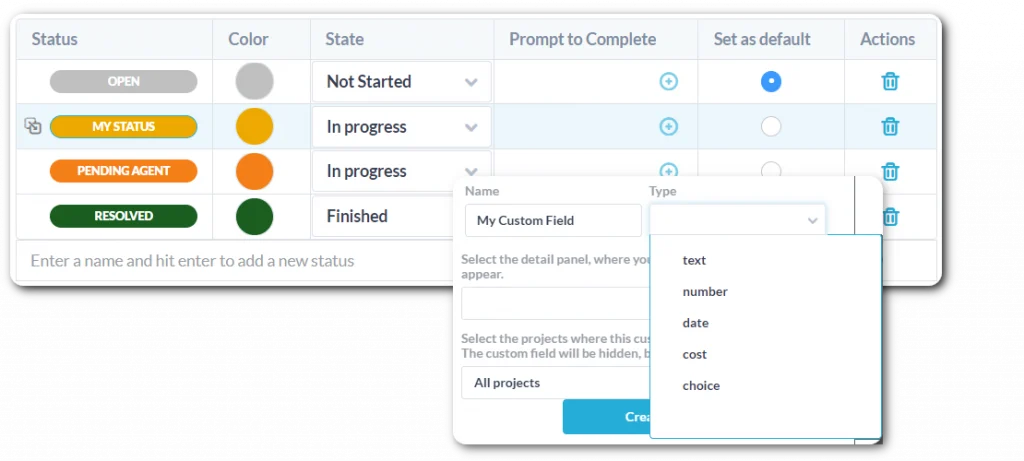
- Create custom data fields.
- Define custom statuses for cases, tasks, and requests.
- Streamline your workflow with flexible automation rules.
- Choose from a variety of billing rates.
- Organize work the way you want.
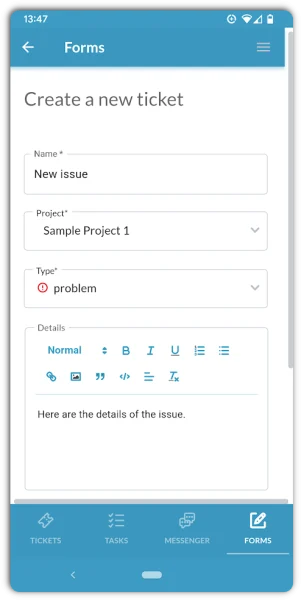
Stay organized from anywhere
Keep your legal services managed and organized even on-the-go!
- Log timesheets and start or stop your timer from your phone.
- Respond to customer communications.
- Collaborate with your team.
- View task details or deadlines.
- Update the status on requests or tasks.
- Log new tasks or requests.
FAQ: OneDesk for legal services
What OneDesk features are useful for legal teams?
OneDesk has many features that are helpful for legal teams. Intake clients and capture requests, log time, bill for work, and manage cases and tasks.
Features include:
- Project templates
- Automations
- Request forms
- Real-time messaging
- Email integration
- Project and task management
- Quoting
- Time-based invoicing
- and more
More legal industry solutions
Help Desk
Help Desk for Law Firm Engineering
Help Desk for Law Firm Finance
Help Desk for Law Firm HR
Help Desk for Law Firm IT
Help Desk for Law Firm Legal
Help Desk for Law Firm Marketing
Help Desk for Law Firm Operations
Help Desk for Law Firm PMO
Help Desk for Law Firm Product
Help Desk for Law Firm Sales
Help Desk for Law Firm Support
Project Management
Project Management for Law Firm Engineering
Project Management for Law Firm Finance
Project Management for Law Firm HR
Project Management for Law Firm IT
Project Management for Law Firm Legal
Project Management for Law Firm Marketing
Project Management for Law Firm Operations
Project Management for Law Firm PMO
Project Management for Law Firm Product
Project Management for Law Firm Sales
Project Management for Law Firm Support
Work Management & Professional Services
Work Management for Legal Finance
Work Management for Legal HR
Work Management for Legal IT
Work Management for Legal Legal
Work Management for Legal Marketing
Work Management for Legal Operations
Work Management for Legal PMO
Work Management for Legal Sales
Work Management for Legal Support
Work Management for Law Firm Engineering
Work Management for Law Firm Finance
Work Management for Law Firm HR
Work Management for Law Firm IT
Work Management for Law Firm Legal
Work Management for Law Firm Marketing
Work Management for Law Firm Operations
Work Management for Law Firm PMO
Work Management for Law Firm Product
Work Management for Law Firm Sales
Work Management for Law Firm Support